Apartment and complex management software:
fees, collections, accounting and residents.
For building managers and management companies: monthly maintenance fee (aidat) charges, recording payments and settling them against debts, late payment penalties under the Condominium Law, a cash-basis book or double-entry accounting, budgets, enforcement proceedings and a resident portal. The same record-keeping from a single building to a development with thousands of units; several properties are managed from one account.
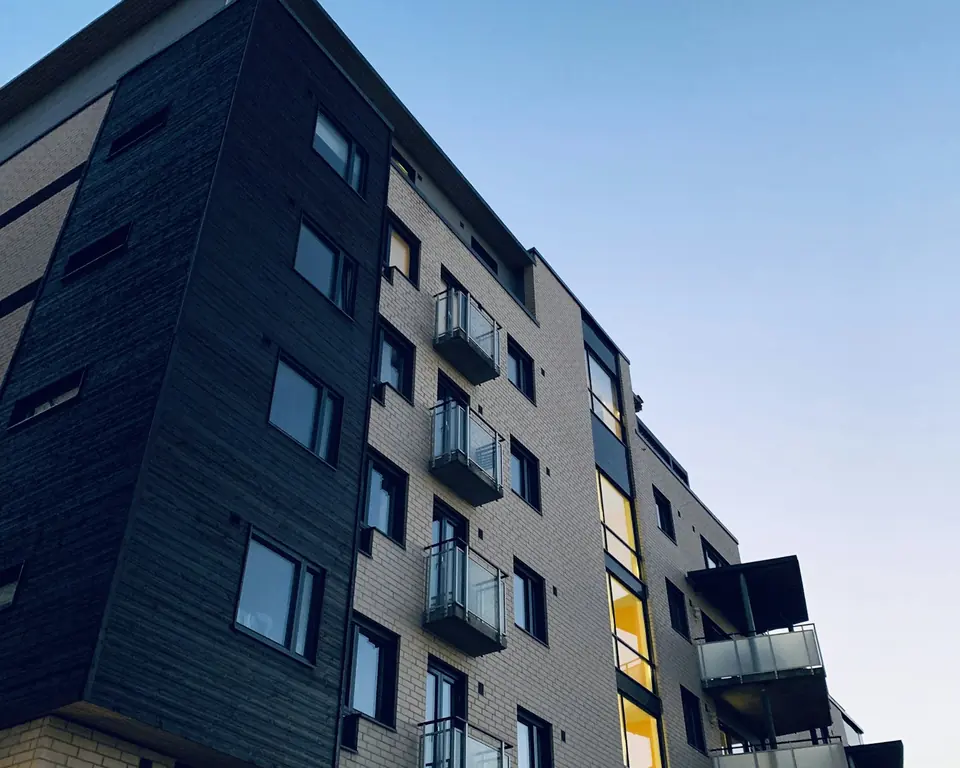
From a single building to 2,000+ apartment developments,
one platform for every scale.
Yonevo is built for apartment building managers, complex and residence managements, cooperatives, business centres and professional property management companies. In any building with independent units, fee tracking, online collection and reporting run in the same auditable way.
From maintenance fees to double-entry accounting,
on one auditable platform.
No separate software, spreadsheets or manual workflows: the financial and operational work of running a property happens end to end in Yonevo.
Maintenance fees and collections
Every unit's balance is kept up to date. When charges, payments or late payment penalties are posted, residents can be notified by email or SMS, depending on your settings.
- Email and SMS notifications
- Balance ledger per apartment
- Late payment penalty
Bank integration
With supported banks, account transactions are pulled automatically over a read-only connection; statements from other banks are imported from the data migration screen. You choose which unit's account an incoming transaction is recorded to; there is no automatic matching.
- Automatic transaction import
- Pending transactions in one list
- Multiple accounts
Resident portal
Residents see their balance and payment history in the portal, and can pay by card if the management has connected a payment provider account. Announcements and polls are sent by email and SMS.
- Access from phone and tablet
- Card payments
- Email and SMS
Budget and variance control
Set up your annual budget line by line, compare it with actuals and see deviations month by month.
- Expense categories
- Monthly actuals
- Budget versus actual
One-click reports
Trial balance, journal, general ledger, fee collection report, cash and bank statements — exported instantly as PDF or Excel.
- PDF & Excel
- Date range
- Branded output
Enterprise access control
Access is governed by per-property data isolation and role-based permissions. Record changes are kept in the audit trail; connections are encrypted with TLS.
- Data isolation per property
- Audit trail on record changes
- Two-factor authentication (TOTP / SMS)
Modules that start where a fee-tracking app stops
Everything below is included in the price; there are no add-on packages or module fees.
- Cash-basis and double-entry modes
- Journal, general ledger, subsidiary ledgers
- Trial balance and financial statements
- General vouchers & journal vouchers
- Opening, carry-forward and closing entries
- Late payment penalty (KMK Art. 20)
- Enforcement proceedings and case files
- Tracking who is responsible for which debt
- Bulk collection and offsetting
- Lease agreements & rent charges
- Meter readings and consumption records
- Fixed assets and maintenance tracking
- Staff, vehicles and tasks
- Staff salary and advance tracking
- Cheque / promissory note tracking
- Meeting and resolution records
- Document centre & contracts
- Users, roles, permissions
- Audit logs
- Data consistency report

One correct record, one auditable source.
Fees, expenses and bank transactions are tracked in the accounting mode you choose; double-entry mode provides full double-entry bookkeeping. Record changes are kept in the audit trail. When the manager changes, work continues from opening balances, reports and carry-forward records.
See the whole processSet up in three steps.
Automate from today.
Bring apartment and complex management into one panel. The three steps below show how a real setup unfolds.
Create your management account
Sign up free with your email address. Enter the complex name and the number of units — no credit card needed.
- Quick sign-up with email
- Privacy notice accepted at sign-up
- No credit card required

Bring over your data, set up your fee plan
Units, residents and past balances from your previous system are matched and verified before they are imported; then you set up your maintenance fee plan and connect your bank account.
- Data migration from your current system
- Matching and reconciliation checks
- Bank account connection
Repetitive work runs itself, you stay in control
Monthly charges and late payment penalties are posted automatically by rule; balances and reports update as payments are recorded. You see where things stand at a glance.
- Up-to-date balances
- Bank transactions arrive automatically
- Access from phone, tablet and computer

Want to see a demo? We'll walk you through it in 15 minutes
Your data is protected.
Every action is auditable.
Financial and personal data is protected by layers of access control, data isolation and an audit trail. The terms of use and the KVKK privacy notice are accepted during sign-up.
TLS-encrypted connection
All traffic is encrypted with TLS; HSTS is enforced and strict content security headers are active.
Records and access for KVKK
Role-based access, a change history and the privacy notice accepted at sign-up. How data is processed and how to make a request are explained on the data protection page.
Regular backups
The platform database is backed up encrypted and transaction logs are archived; per-property backups are scheduled by the Yonevo team. Scope and limits are on the Security page.
Application servers in Turkey
Application and database servers are in Turkey. Some services, such as content delivery, analytics and SMS, come from providers abroad; the list is on the data protection page.
Audit trail on record changes
Record changes are tracked in the data layer; who changed what, and when, can be traced back.
Data isolation per property
Access to a property's data is limited by isolation in the data layer and by the property and role permissions in the application.
One product, every feature on.
The price follows your unit count.
A 14-day free trial. We don't ask for a credit card and you can cancel at any time. No features locked into tiers — your price depends on your number of units and your accounting mode. Prices include VAT.
A fixed starting price for up to 50 units. Tiered pricing up to 2,000 units; above that, a custom quote.
No credit card needed · Pay yearly, get 2 months free (≈ 17% saving)
The more units, the lower the cost per unit. Double-entry mode +20%.
- Maintenance fee, cash, bank and ledger account tracking
- Cash-basis book; double-entry mode optional (+20%)
- Resident portal
- Announcements, polls, meetings and resolutions
- Advanced reports · Excel / PDF
- Users, roles and auditing
The questions on your mind,
answered clearly.
Write to our team about setup, product scope or how Yonevo fits your project.
Email usIs Yonevo an apartment management system?
Yes. Yonevo is cloud-based management software for apartment buildings, residential complexes, residences, multi-block developments, housing cooperatives, business centres and professional property management companies. Maintenance fee (aidat) charges, recording payments and settling them against debts, cash-basis and double-entry modes, budgets, late payment penalties and enforcement proceedings, meter readings, fixed assets, staff and salary tracking, meeting and resolution records, a resident portal and card payments are all part of the same system. Management companies can manage several properties from one account.
Is Yonevo just a maintenance fee tracking tool?
Maintenance fee tracking is one part of Yonevo's financial and operational management scope. The cash-basis and double-entry modes work together with opening balances and carry-forwards, bulk collections and offsetting, cash and bank reconciliation, and an audit trail. Double-entry mode covers accounting records such as the journal, general ledger, subsidiary ledgers and trial balance. Meters, fixed assets, staff, meetings and resident communications are tied into the same management structure too.
How long does setup take? Do I need technical knowledge?
You do not need to install a server or have technical knowledge to use the web panel. Setting up means defining units, residents, fee rules and opening balances. How long it takes depends on your data volume, how orderly your current records are and your accounting needs. You can carry out the data migration from your previous system yourself, or get set-up and data migration help from our team by quote.
Can I move the data from my current management software to Yonevo?
Yes. Moving across is not a matter of simply uploading a file; it is a step-by-step data migration process. The columns in the source file are mapped to system fields, and this mapping is saved as a template; Turkish number and date formats are normalised. Account, ledger account and contact records are matched in stages using the account code, name similarity and unit details; each match is labelled certain, probable or doubtful, together with the reason, and anything still uncertain is left for the manager to approve. As well as unit and resident details, the chart of accounts and opening balances, transactions from past periods can be imported too.
What happens to past balances and payment records from my old system?
Charges, collections and payments from past periods can be migrated together with opening balances; during import, records are classified as charges, payments or transfers and linked to ledger accounts. Once the import is complete, checks such as cash and bank reconciliation, transfer balance, skipped charge periods, duplicate account or ledger account names and opening balance coverage are run in the data consistency report; each check is reported with its severity. This means the accounting consistency of the migration can still be verified after the import.
If I make a mistake importing data, can I undo it?
Yes, under certain conditions. Imports are saved as batches; a batch can be undone within 24 hours of the import, provided no new transactions have been entered against the imported records. If you try to upload a file that was already imported and not undone, the process stops and shows the date, file name and number of rows of the earlier import; this check prevents amounts from being doubled.
How does the bank integration work?
With supported banks, account transactions are brought in regularly over a read-only connection; statement files from other banks are imported from the data migration screen. The list of supported banks is shown in the product; using a connection depends on authorisation and account set-up at the bank. Transactions are recorded in the bank ledger; the management chooses which unit's account an incoming transaction is recorded to; there is no automatic matching. Yonevo does not initiate money transfers through these connections.
Are the bank connections "bots"? Will they break if something changes on the bank's side?
No. Screen-scraping bots are not used; connections go through the bank's own authorised services and only read account transactions. Each bank is defined in its own module; if a bank changes its service, only that bank's connection is affected, and other banks, collections, accounting and reporting keep working.
Can an integration that isn't available today be added later?
Yes. Bank and payment connections are built so that each provider is defined separately; adding a new provider does not require changing the rest of the product. If you need an integration that is not in the core product today, it can be assessed together at the scoping and quote stage of an enterprise project.
Is my data secure? Is Yonevo KVKK-compliant?
Yonevo has TLS-encrypted connections, role-based access, per-property data isolation, two-factor authentication, a change history and regular backups. Application and database servers are in Turkey; some services, such as content delivery, analytics and SMS, come from providers abroad and are listed on the data protection page. The privacy notice is accepted at sign-up and cookie preferences are recorded; the management's obligations as data controller remain. The scope and data processing terms are explained on the Security, Data Protection and Privacy pages.
Can residents pay their maintenance fees online?
Yes. Residents can see their outstanding balance and payment history in their own portal and, once the online payment service is enabled, pay by credit card. Card payments are taken through iyzico, and card details are not stored on Yonevo's servers. The terms of service and commissions for payment processing are assessed separately from the software subscription.
Is Yonevo suitable for large complexes and mass housing projects?
Yonevo can be used in large and multi-block complexes for period-based charges, recording payments and settling them against debts, tracking by block, accounting, budgets, change history and resident communication. Pricing is calculated automatically for up to 2,000 units. Between 401 and 2,000 units you can ask for an optional volume quote; projects above 2,000 units get a custom quote. These thresholds relate to pricing, not to performance limits; data migration, integration and operational needs are assessed separately.
I manage more than one property. Can I do it all from one account?
Yes. Management companies can manage several properties from one account. Each property's accounting and access permissions are kept separate; users' access follows the properties and roles assigned to them. The price is based on the total number of units in your account and the accounting mode chosen; if you have several properties, write to us and we will work out your total price together.
Is there a mobile app?
There is currently no Yonevo app published in the app stores. The management panel and the resident portal are used in the browser on phones, tablets and computers; residents follow their balance and payment history, announcements and polls there.
What happens to my data if I end my subscription?
Your data belongs to you. Lists and financial reports can be exported to Excel and PDF while you use the service. After cancellation there is a 30-day period to download your data; after that, account data is deleted. Property records are backed up regularly by the Yonevo team; details are in the Privacy Policy and Terms of Use.
What happens if I want to cancel?
You can cancel your subscription. When the cancellation takes effect, access to the period already paid for and any refund terms are determined by the Terms of Use and the agreements presented at checkout. While you still have access to your account, you can export the supported reports and books as PDF/Excel. Data retention and deletion terms are explained in the Privacy Policy.
No more chaos.
You stay in control.
From maintenance fee charges to accounting ledgers, from bank reconciliation to resident communication — Yonevo brings it together: complex work, one clear screen.
Management Guide
Guides on apartment and complex management legislation, calculations and day-to-day work. Articles are prepared with AI tools and legal references are checked against the official texts. They are not legal or financial advice.
 AI
AIBank Reconciliation for Maintenance Fee Collections: Monthly Steps and a Worked Example
Monthly bank reconciliation for apartment buildings and complexes: statement versus records, transfers with no description, items in transit, partial payments.
Read more AI
AIHandover When the Building Manager Changes: A Checklist for Books, Bank, Cash and the Handover Record
Handover when a building manager in Turkey changes: the duty to account, books and documents, bank authority, the cash count and the handover record.
Read more AI
AIHow to Prepare a Monthly Income and Expense Report for an Apartment Building or Complex: Cash and Accruals Example
A monthly income and expense report for a building or complex in Turkey: cash versus accruals, layout, budget comparison, residents' balances, an example.
Read more